Walk Master
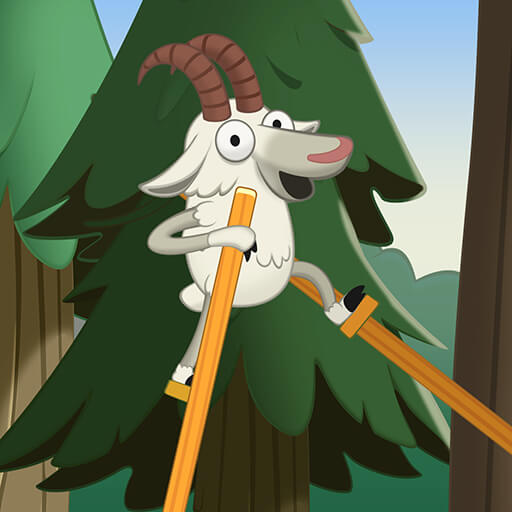
Walk Master is a stilt-walking balance game.
Play opens an independently hosted game. Its provider may use cookies or show ads. Privacy information
Get to know Walk Master
Hold to advance a raised foot, then release to plant it, alternating careful steps across the course.
What to work towards
Keep the character supported while alternating stilt steps toward the end of the course.
Your starting point
Look for the next safe patch of ground before beginning a step.
Read the current game’s instructions before you begin. Provider versions can change; this introduction is a starting point for your session.
How to play Walk Master
Keep the character supported while alternating stilt steps toward the end of the course.
- On a computer
- Press and hold in the play area to move the active stilt; release to lower and plant it.
- On a phone or tablet
- Hold your finger down to take a step, then lift it to place the foot.
Watch out: A foot released over a gap may leave the character unsupported. Watch the landing point and retry if the game ends the attempt.
- Look for the next safe patch of ground before beginning a step.
- Press and hold to lift and move the active foot forward; release when it is over a safe landing.
- Let the foot settle, then repeat with the other foot to work across gaps and uneven ground.
Get a better start
- Check the projected landing area before releasing a step.
- Allow both feet to settle before starting the next movement.
- Vary hold length to match the distance to the next safe surface.
Before you play
How do I start Walk Master?
Choose Play Walk Master to open a full-window game page. That page starts the connection to the external provider. Use the floating Back button to return here. Follow the title screen’s instructions for the controls available in that version.
Can I play on a phone or computer?
Use a current browser. Many games support touch, mouse or keyboard, but compatibility depends on the provider’s build. If the game does not respond, check its own controls, try landscape mode or use a desktop browser.
Will my progress be saved?
Progress, when supported, is stored by the game provider. Saving this listing in MCDONALDSMENUUK only bookmarks the game in this browser. Clearing site data or using private browsing can affect local saves.
What if the game is unavailable?
Try reloading the game once or choose another title. External providers may change availability. Report a problem with this game